How RouteWage works
Five steps from hours to pay stubs. One of them is a person: anything the law leaves unclear stops for you to confirm.
Step 1: Import workers and hours
Bring in your drivers and their hours, or import from a file.
Step 2: Calculate SCA-correct pay
The engine applies the wage determination and every state rule, to the cent.
Amounts are kept in whole cents from start to finish, so a total is the exact sum of its lines.
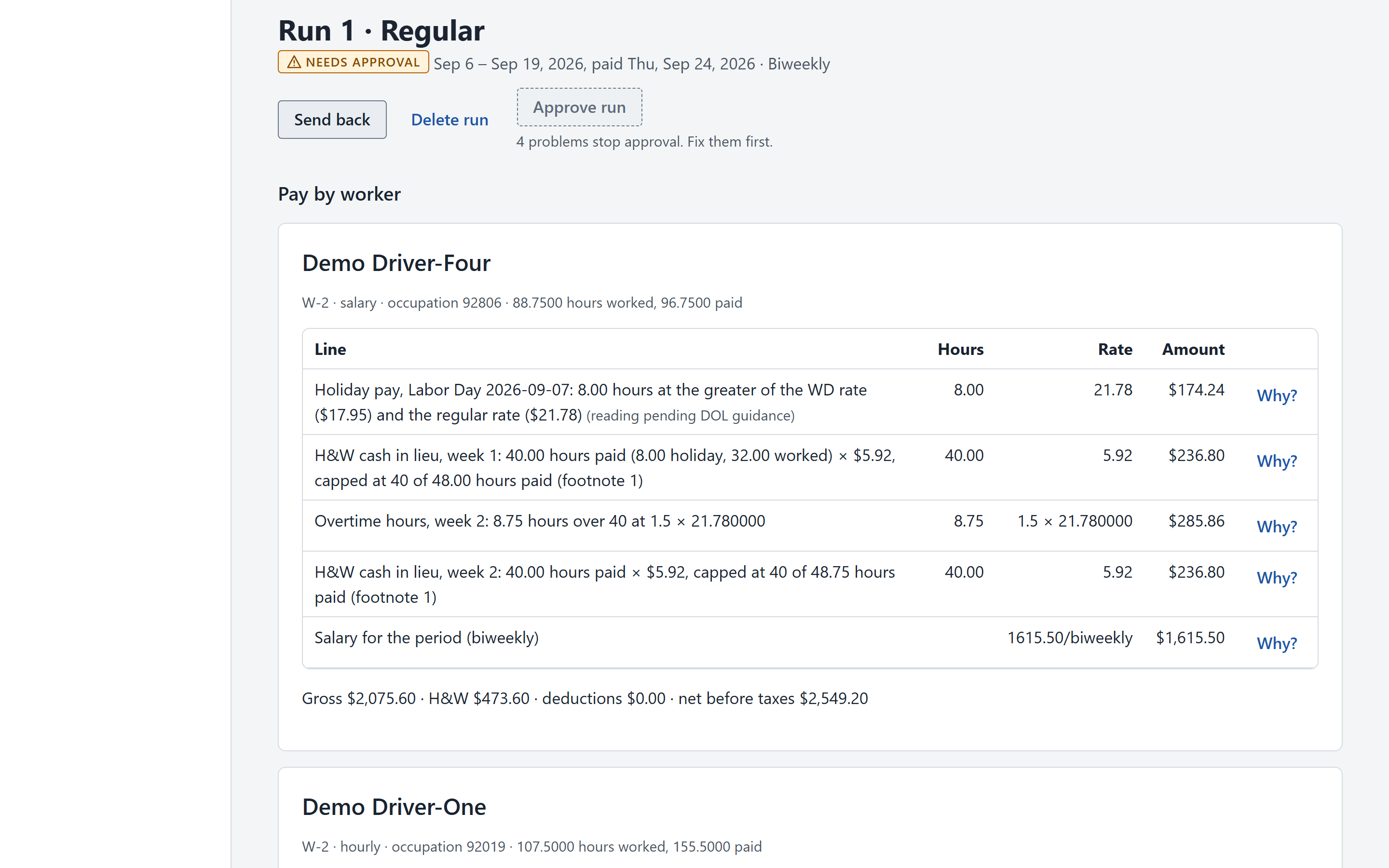
Sample dataEach pay line shows its hours, rate, and amount, with the reasoning behind it. Step 3: Review flagged rules
Anything the law leaves unclear is flagged for a human to confirm. Nothing is silently assumed.
This is deliberate. Where a rule is open to more than one reading, RouteWage applies the conservative one, says so on the pay line, and flags it for a person to confirm before the run is approved.
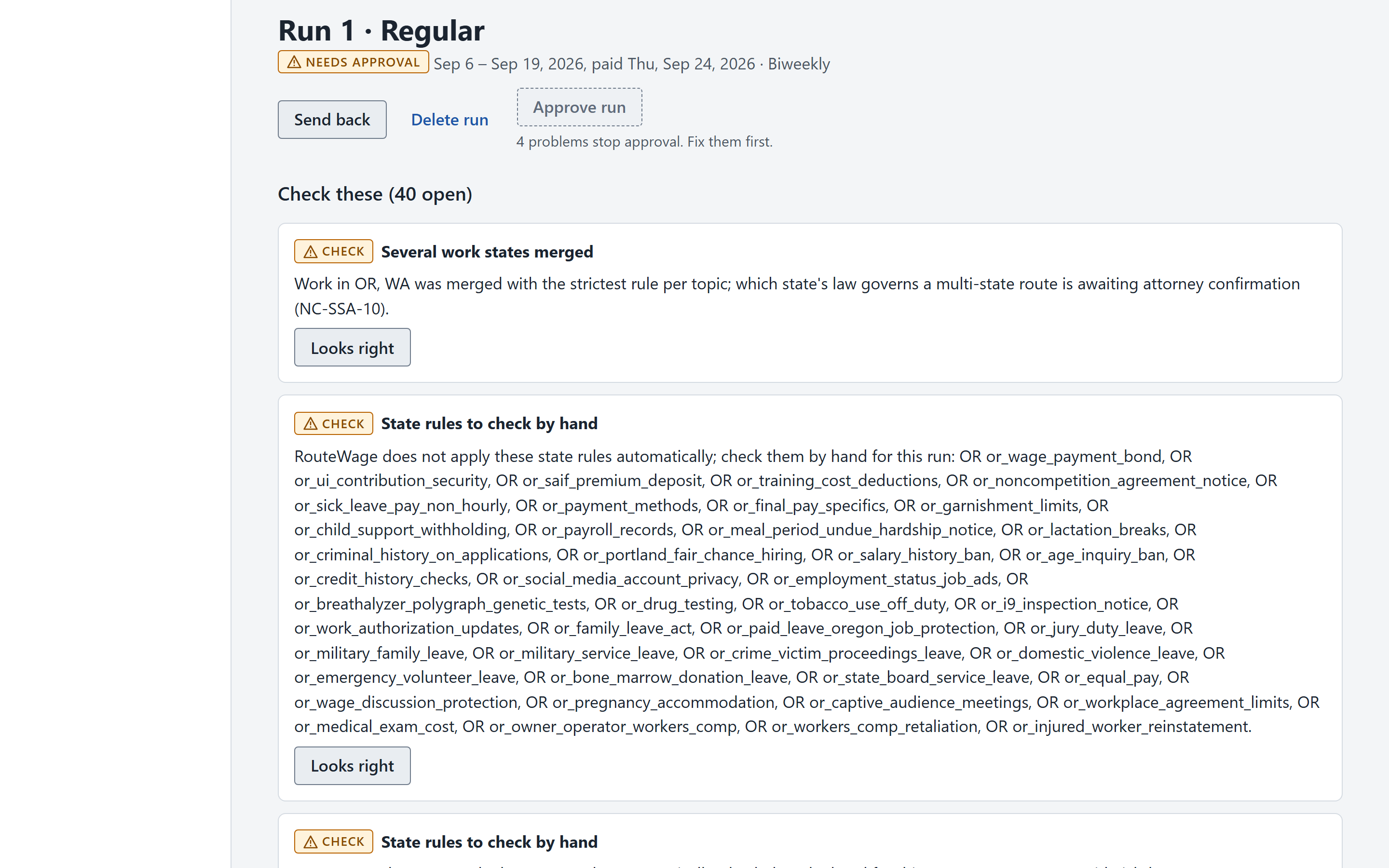
Sample dataProblems that stop approval and rule checks flagged for a person to confirm. Step 4: Generate stubs and reports
Compliant stubs and reports, with a full audit trail.
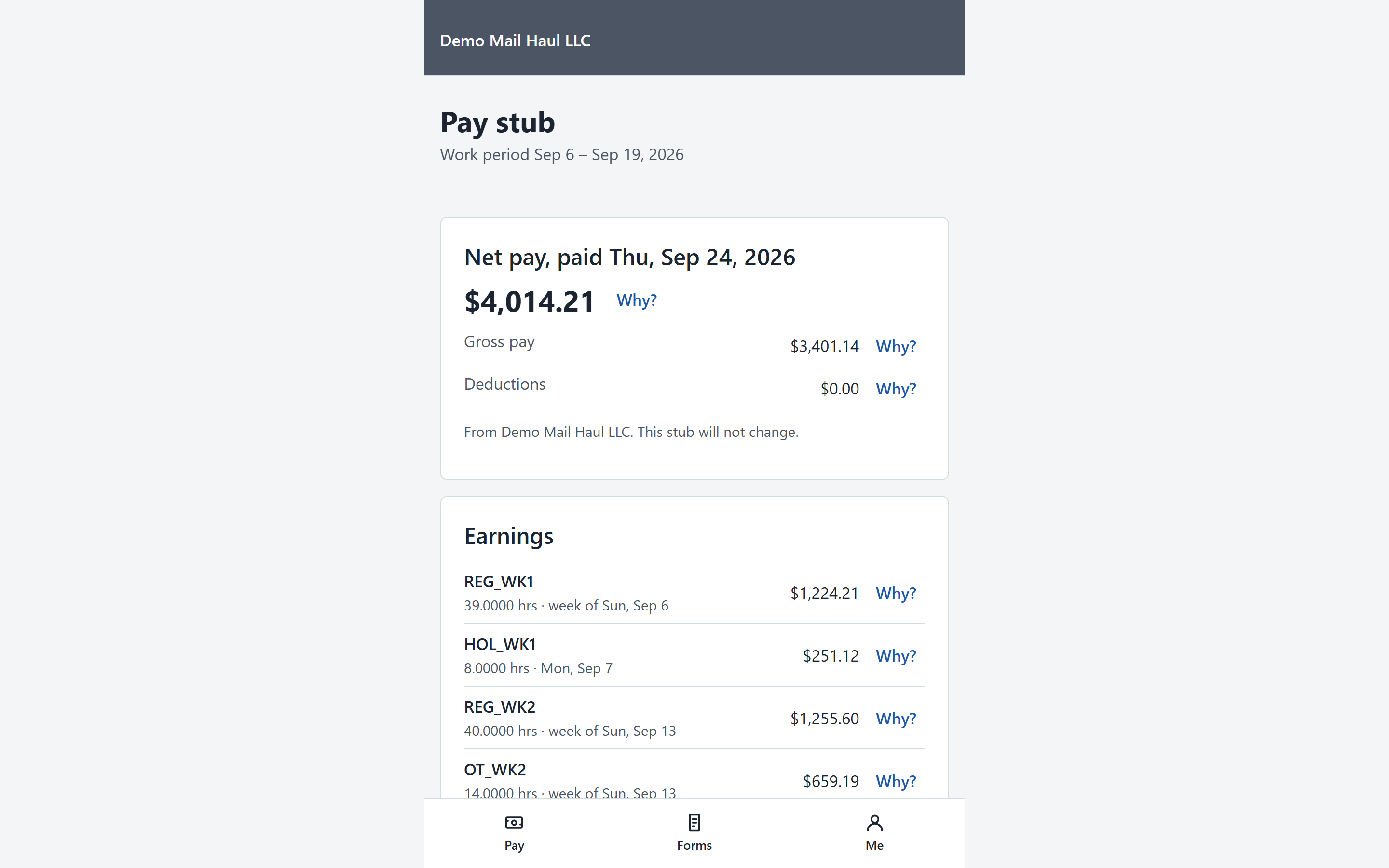
Sample dataThe pay stub a driver sees in the phone-first worker portal. Step 5: Pay and file
Coming soonPay drivers and file taxes through a licensed partner, without leaving RouteWage.


See RouteWage on your routes.
RouteWage is onboarding its first HCR and CDS operators. Tell us about your operation.